Do You Need a SIM Card to Travel? The Complete No-SIM Guide for 2026
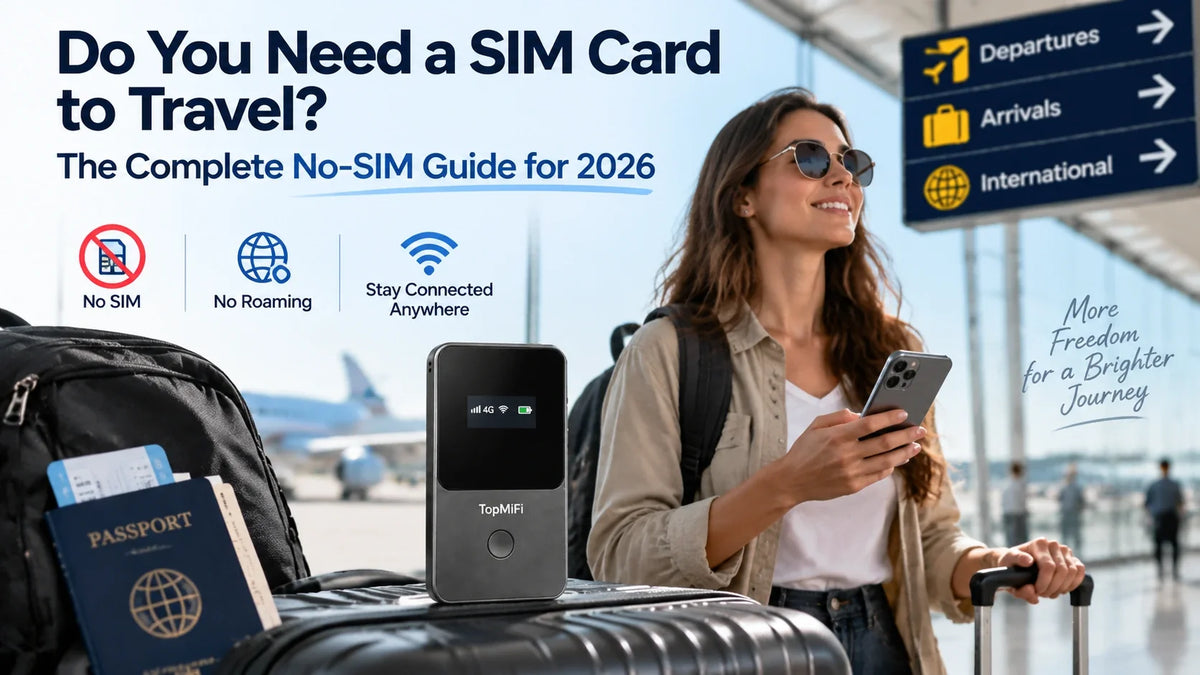
Do you need a SIM card to travel abroad in 2026? The short answer is no — not anymore. For years, getting online in another country meant either paying for roaming or hunting down a local SIM card at the airport, but a new generation of no-SIM options has made that ritual optional. Today you can land in a new country and be online in about a minute with nothing to insert, swap, or lose — for example, a virtual-SIM device like the TopMiFi T8 pocket WiFi connects automatically without a physical card at all. This guide explains exactly when you do and don't need a SIM, and how the no-SIM approach works.
The right choice still depends on how you travel — a quick solo trip, a family holiday, or weeks living out of a rental all point to different setups, from a travel eSIM on your phone to an always-on unit such as the TopMiFi TD20 for a whole group. Below we walk through every way to stay connected, with and without a SIM, so you can pick the one that actually fits your trip.
The short answer: No, you don't need a physical SIM card to travel. You can stay online with a travel eSIM installed digitally on your phone, or with a portable WiFi device that uses a built-in virtual SIM — neither needs a card to insert.
A physical local SIM is still an option, but for most travelers a no-SIM setup is faster, keeps your home number, and works across 150+ countries without swapping anything at the border.
Do you actually need a SIM card to travel in 2026?
For most trips, you don't. A SIM card is simply the little chip that identifies your phone to a mobile network — but there are now several ways to get that same identity delivered digitally instead of on a piece of plastic. The idea that you must buy a local SIM the moment you land is a habit left over from an earlier era of travel, not a rule.
What you truly need abroad isn't a card; it's mobile data. And mobile data can reach you three ways that involve no card at all: a travel eSIM programmed onto your phone, a portable hotspot with a virtual SIM inside, or — the expensive fallback — your home carrier's roaming. Only one traditional route, buying a physical local SIM, still requires you to handle an actual card. So the honest answer to "do you need a SIM card to travel?" is: you need a way to get data, and a physical card is now just one of several ways to get it — often the most inconvenient one.
What a SIM card actually does — and why "no-SIM" is possible
A SIM (Subscriber Identity Module) stores the credentials that tell a cellular network who you are and which plan you're on. Traditionally that lived on a removable nano-SIM you slotted into your phone. The catch when traveling is obvious: to use a different network abroad, you had to physically obtain and insert a different card, then keep your home SIM somewhere safe so you didn't lose it.
The no-SIM revolution comes from moving those credentials into software. An eSIM (embedded SIM) is a chip permanently built into modern phones that can be reprogrammed with a new profile over the internet — no card required. A virtual SIM (vSIM) takes it a step further inside dedicated devices, automatically switching to a local network in each country without any user setup. Both do exactly what a plastic SIM does — prove your identity to a network and unlock data — just without the physical object. That's why "no-SIM travel" isn't a gimmick: the SIM's job still happens, it's simply handled digitally.
Every way to stay connected abroad — with and without a SIM
There are five main ways to get online in another country. Two still involve a physical card; three don't. Here's how each works and who it suits.
1. Buy a local SIM card (needs a physical SIM)
The old standby: find a shop or kiosk at your destination, show ID, buy a prepaid card, and swap out your home SIM. It's usually cheap for data within that one country, which is why long-stay travelers still consider it. The downsides are the friction — queues, paperwork, a fiddly tray, and the risk of losing that tiny card — plus you give up your normal number for the trip and have to start over if you cross into another country.
2. Turn on carrier roaming (uses your home SIM)
The zero-setup option: leave your existing SIM in and let your carrier charge you to use foreign networks. It's convenient because you land already connected, but it's almost always the most expensive route — a single week of roaming can cost more than a good travel device outright. Fine for a quick overnight; painful for anything longer.
3. Use a travel eSIM (no physical SIM)
Install a data plan digitally by scanning a QR code, and your phone runs on a local network with no card involved. It's lean and quick for a solo traveler with a compatible phone, though it only covers that one device and tethering to others drains your battery. If you're deciding between a digital SIM and a shared device, our full comparison of eSIM vs pocket WiFi lays out the trade-offs in detail.
4. Carry a portable WiFi hotspot (no SIM to insert)
A pocket hotspot with a built-in virtual SIM pulls in a local signal and shares a private network with all your devices — phones, laptops, tablets, the lot. There's no card to insert and nothing to configure; you power it on and connect. It's the most flexible no-SIM option for couples, families, and anyone traveling with more than one device, and it keeps your phone's own SIM and battery untouched.
5. Rely on public Wi-Fi (no SIM, but not a real plan)
Technically you can travel on café and hotel Wi-Fi alone, with no SIM of any kind. In practice it's slow, capped, often behind a login, a genuine security risk, and unavailable exactly when you need it — walking to a restaurant or catching a train. It's a supplement, never a dependable connectivity plan on its own.
What "no-SIM" really means: eSIM vs virtual SIM
"No-SIM" can mean two slightly different things, and it's worth knowing which is which. A travel eSIM still assigns a specific network profile to your individual phone — there's no plastic card, but you do choose and install a plan, and it lives on that one handset. A virtual SIM inside a portable hotspot is more hands-off: the device is pre-configured to find and join a partner network automatically in each country, so you never pick a plan or scan anything — you just switch it on.
Both remove the physical card, which is the headache most travelers want gone. The practical difference is scope: an eSIM connects your phone, while a virtual-SIM hotspot connects everything and everyone in your group from a single device. If the goal is to travel without ever touching a SIM tray, either one gets you there — the question is simply how many devices you need online.
Why going no-SIM makes travel easier
Skipping the physical card solves a surprising number of small travel headaches at once:
- No shop visit on arrival. You're online the moment you land instead of queuing at a kiosk with your luggage.
- No lost cards. There's no tiny nano-SIM to drop on a hostel floor or misplace between trips, and no home SIM to stash and forget.
- You keep your own number. Your regular line stays reachable for calls and texts instead of being swapped out.
- One setup for many countries. A good no-SIM device connects across 150+ countries automatically, so a multi-stop trip needs no new card at each border.
- No language barrier at the counter. You skip negotiating a prepaid plan in a language you may not speak.
- Data can be ready in advance. The best options arrive with data already included, so there's nothing to arrange after you land.
When you might still want a physical SIM
No-SIM isn't the right answer for absolutely everyone, and it's worth being honest about the exceptions. A physical local SIM can still make sense if you're staying in a single country for a long time and want the cheapest possible per-gigabyte rate, or if you specifically need a local phone number — for example, to receive SMS verification codes from a local bank, rental, or delivery service. Some travelers also prefer a physical card simply because it's familiar.
Even then, the trade-off is convenience for cost: you accept the shop visit, the ID check, and the lost home number in exchange for a slightly lower data price in that one country. For short trips, multi-country routes, or anyone traveling with more than one device, the math and the hassle almost always favor a no-SIM setup — which is why the habit of automatically buying a SIM on arrival is fading fast.
How to travel without a SIM card, step by step
Going SIM-free is genuinely simple. Whichever no-SIM route you choose, the process looks like this:
- Decide how many devices need to be online. Just your phone points toward an eSIM; a partner, family, or a laptop points toward a portable hotspot.
- Sort your data before you fly. Install an eSIM plan, or get a hotspot that arrives with data already included, so you're set the moment you arrive.
- Land and switch on. Enable the eSIM line in your phone settings, or power up the hotspot and give it a minute to find a local network.
- Connect and go. Your phone is online, or your devices join the hotspot's private Wi-Fi exactly like they would at home.
- Top up if needed. Add more data as you go rather than guessing a huge plan up front — you only pay for what you use.
That's the entire process. No shop, no card, no tray — just data that's ready when you are.
How much does it cost to travel without a SIM card?
Cost is often the deciding factor, and going no-SIM usually comes out ahead — with one big caveat about roaming. Here's the rough hierarchy from most to least expensive. Carrier roaming sits at the top: convenient, but a week of it can cost more than a travel device outright, and heavy use pushes it higher still. A travel eSIM is far cheaper, priced per gigabyte, and works well for one person with modest needs — though the total climbs once you add people or stream a lot. A portable hotspot with included data lands in the sweet spot for groups: one plan is shared across every device, so a family of four pays once instead of four times, and the reusable hardware keeps earning its keep on the next trip.
A physical local SIM can technically be the cheapest per-gigabyte within a single country, but that headline price ignores the hidden costs: the time spent finding a shop, the lost home number, and buying a fresh card the moment you cross a border. For most itineraries, a no-SIM setup with data already included gives you the best balance of predictable price and zero hassle — you know what you're paying before you fly, and you top up only if you actually need more.
SIM vs no-SIM: a quick comparison
Here's how the five options stack up on the one question this article is about — whether they need a physical card — plus who each suits best.
| Option | Needs a physical SIM? | Best for |
|---|---|---|
| Portable WiFi (virtual SIM) | No | Groups, families, multi-device trips |
| Travel eSIM | No | Solo travelers with a compatible phone |
| Carrier roaming | Uses your home SIM | Ultra-short trips, zero setup |
| Local SIM card | Yes | Long stays in one country |
| Public Wi-Fi only | No | A supplement, not a real plan |
Which no-SIM option is right for you?
Match the setup to your trip and the decision gets easy. A solo traveler with a newer phone and light data needs can happily go with a travel eSIM — nothing to carry, quick to activate. Anyone traveling with a partner, kids, a laptop for work, or a mix of older and newer devices is better off with a portable hotspot, which puts everyone on one private connection without worrying whether each phone supports an eSIM.
If you want a shortlist of specific devices rather than categories, our guide to the best portable WiFi for international travel breaks down the top picks by traveler type. For most people the decision comes down to a simple count: one device online means an eSIM is enough, while two or more means a no-SIM hotspot will serve you far better — and save money by sharing a single plan.
Common myths about traveling without a SIM card
A few persistent misconceptions keep travelers reaching for a plastic card out of habit. Here's what's actually true.
- "No-SIM is complicated." The opposite — there's no shop, no tray, and no paperwork. You install a plan digitally or power on a device, and you're connected in about a minute.
- "You need a brand-new phone." For an eSIM you do need a reasonably recent handset, but a portable hotspot works with any device that joins Wi-Fi — older phones included — so compatibility is never a barrier.
- "It's not reliable." Virtual-SIM devices connect to the same local carrier networks a physical SIM would use. The signal comes from the same towers; there's simply no card in the middle.
- "Public Wi-Fi is enough." It isn't. Café and hotel Wi-Fi is slow, capped, insecure, and missing exactly when you're out walking or catching a train. It supplements a real connection; it doesn't replace one.
- "It's only for tech-savvy travelers." No-SIM options are arguably simpler than swapping cards — easy enough to hand to kids or parents who don't want to fuss with phone settings abroad.
Frequently asked questions
Do you need a SIM card to use a phone abroad?
Not a physical one. Your phone needs mobile data to work as normal abroad, but that data can come from a digital eSIM, a portable WiFi hotspot with a virtual SIM, or roaming on your existing SIM — none of which requires buying and inserting a new card.
Can I travel with no SIM card at all?
Yes. With a travel eSIM or a virtual-SIM hotspot you can stay fully connected without ever inserting a physical card. Many travelers now go entire trips, across several countries, without touching a SIM tray once.
Do portable WiFi devices need a SIM card?
The best modern ones don't. A device with a built-in virtual SIM connects automatically with no card to insert — you power it on and it finds a local network for you, even across multiple countries on the same trip.
Is a no-SIM hotspot the same as the tpMiFi app?
No — those are unrelated. tpMiFi is a TP-Link app for managing TP-Link routers, while a no-SIM hotspot is a standalone device with its own data. If the names have you confused, our guide to TopMiFi vs tpMiFi clears it up.
Is it cheaper to travel without a SIM card?
Usually, yes — especially compared with roaming, which is the priciest option of all. A no-SIM hotspot spreads one data plan across your whole group instead of charging each phone separately, and a reusable device keeps paying off on future trips.
Will a no-SIM device work the moment I land?
In most cases, yes. You switch on your eSIM line or power up the hotspot, give it a minute to register on a local network, and you're online — no shop visit and no card swap required.
Does an eSIM or hotspot work on any phone?
An eSIM needs a phone with eSIM hardware, which most recent flagships have but many older or budget models don't. A portable WiFi hotspot sidesteps the question entirely, since any device that can join a Wi-Fi network will connect regardless of its age or brand.
Can I keep my home number while traveling without a SIM?
Yes. Because a travel eSIM or a virtual-SIM hotspot adds data separately, your home SIM stays in your phone and your normal number keeps working for calls and texts — you're not trading it away the way you would with a local SIM card.
How do I check if my phone supports an eSIM?
On most phones you can look under your network or cellular settings for an "Add eSIM" or "Add data plan" option — if it's there, your phone supports one. As a rule, recent flagship models do, while many older and budget handsets don't. When in doubt, a portable WiFi hotspot avoids the question completely, because it works with any device that connects to Wi-Fi.
Can I use a no-SIM hotspot for work while traveling?
Absolutely — it's one of the best reasons to carry one. A hotspot gives your laptop a private, reliable connection for calls and email without draining your phone, and because it's your own network rather than public hotel Wi-Fi, it's a far safer place to handle work accounts and files on the road.
The bottom line
So, do you need a SIM card to travel? For the vast majority of trips in 2026, no. Between travel eSIMs and virtual-SIM hotspots, you can stay connected abroad with nothing to insert, no shop to find, and your own number intact — often across 150+ countries on a single setup. A physical SIM still has its place for long single-country stays or when you need a local number, but for everyone else, going no-SIM is faster, simpler, and usually cheaper. Decide how many devices you need online, sort your data before you fly, and you'll never queue at an airport SIM counter again.
Coverage, device compatibility, and data allowances vary by option and destination and can change over time. Confirm current details before you travel to make sure your chosen setup fits your trip.