How to Get WiFi in China: A 2026 Traveler’s Guide (No SIM Needed)
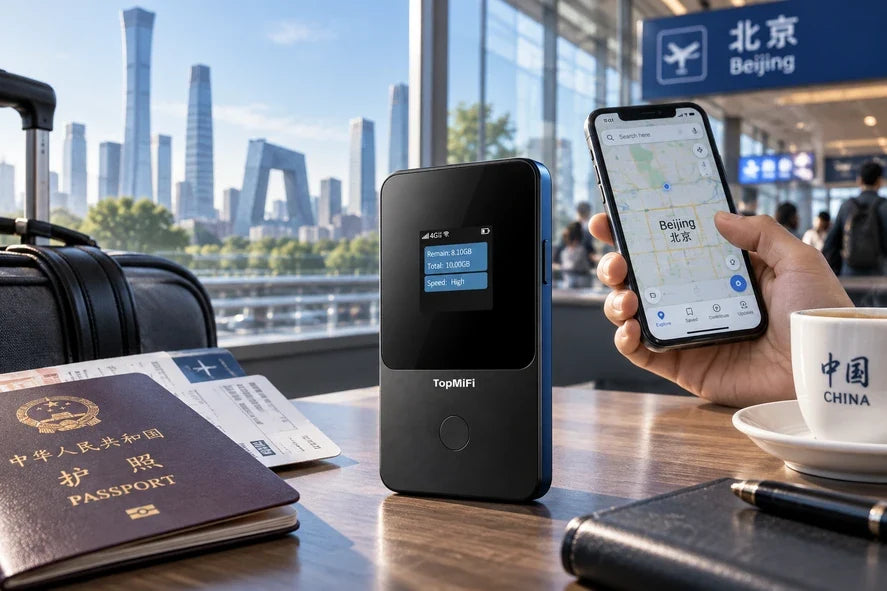
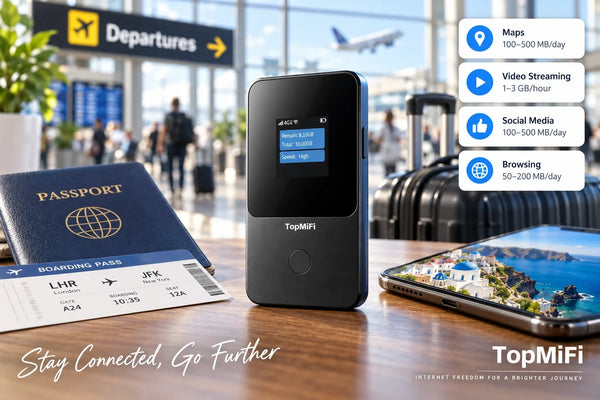
China is one of the most exciting countries in the world to visit — ancient cities, mega-modern skylines, food you will think about for years — and also one of the countries where getting online works a little differently from home. From the moment you land in Beijing, Shanghai, or Guangzhou, you will want your phone for maps, translation, and paying for almost everything. The simplest way to carry a reliable connection for your whole trip is a pocket WiFi hotspot such as the TopMiFi T8 portable WiFi hotspot, which creates your own private WiFi network in 150+ countries, with no SIM and no contract.
This 2026 guide walks through every realistic way to get internet in China, what is genuinely different about going online there, how to prepare before you fly, and how a pocket WiFi hotspot fits in. Because connectivity in China has its own quirks, it is especially worth checking where your device will have coverage — including China — before you commit to any single option.
Quick answer
Getting online in China is very doable, but it pays to plan ahead. Many apps and websites you use at home are not accessible in the usual way, and local SIM cards often require a Chinese phone number or ID. A pocket WiFi hotspot is one of the simplest options for a visitor: it needs no SIM and no local registration, keeps your whole group online at once, and works across 150+ countries if China is one stop on a longer trip. Whatever you choose, prepare before you fly — download offline maps and set up the tools you will need.
Why staying connected matters so much in China
China may be the most phone-dependent country most travellers ever visit. Day-to-day life runs through a smartphone to a degree that can surprise first-timers, and as a visitor you will lean on a connection constantly.
- Payments. China is overwhelmingly cashless, and payment happens through apps and QR codes. Being online is often what lets you pay, top up, and confirm transactions.
- Navigation. Cities are enormous and signage is frequently in Chinese first. A live map is what turns a sprawling district into something you can actually walk.
- Translation. Outside tourist hotspots, English is limited. Camera and voice translation apps are a lifeline for menus, signs, and conversations — and they work best with data.
- Getting around. Ride-hailing, high-speed rail bookings, and metro apps all expect you to be online to plan and pay.
- Staying in touch. Keeping up with family back home, sharing photos, and handling work all depend on a connection you can rely on.
In short, in China your phone is your wallet, your map, and your translator at the same time. A connection you can count on is what holds the trip together.
What is different about getting online in China
Two things set China apart from most destinations, and it is better to understand them before you arrive than to discover them at the airport.
Some apps and websites are not accessible in the usual way. A number of the services travellers rely on at home — certain search engines, social networks, messaging apps, and map tools — are not available in China the way they are elsewhere. This is simply part of the local internet environment, and the practical answer is preparation rather than worry: before you fly, download offline maps, save the key addresses and documents you will need, and find out which of your apps will work so there are no surprises. No single connection method should be assumed to make every app behave exactly as it does at home, so planning ahead is the real fix.
Local SIM cards usually require registration. Buying a Chinese SIM card typically means providing a passport and sometimes a Chinese phone number, and setup can involve a language barrier at the counter. That is fine if you are staying a long time, but it is friction many short-term visitors would rather skip. A pocket WiFi hotspot avoids that step entirely, because there is no SIM to buy and no local registration to complete.
Your options for internet in China
There are five common ways to get online in China. Each can work; they suit different travellers and trip lengths.
| Option | Best for | Watch out for |
|---|---|---|
| Pocket WiFi hotspot | Groups and families; visitors who want no SIM and no registration | One device to carry and charge; confirm China coverage first |
| Local SIM card | Long single stays, one phone, budget per-GB cost | Passport registration; language barrier; one device only |
| Travel eSIM | Solo travellers with one recent, compatible phone | One device; needs a supported phone |
| International roaming | Very short trips, if your carrier's rate is reasonable | Daily fees add up fast; check your plan before you go |
| Free public WiFi | Light backup inside a hotel or cafe | Patchy, may need a local number to sign in, not for the move |
The honest summary: free WiFi is a backup, not a plan; a local SIM is the cheapest per GB if you are staying a while and do not mind the registration; an eSIM suits a solo traveller with one modern phone; roaming is easiest to switch on but costly over a longer trip. Pocket WiFi is the option that covers a whole group with no SIM and no local sign-up.
Why travellers consider a pocket WiFi for China
A pocket WiFi hotspot earns its place in China for a few concrete, practical reasons — none of which require any special claims.
First, there is nothing to register. You do not need a Chinese phone number, a passport at a SIM counter, or a trip to a shop on your first jet-lagged morning. You power the device on and connect, which is a real relief in a country where the SIM process is more involved than most.
Second, it covers everyone at once. The TopMiFi T8 supports up to 8 devices, so a couple or a family shares one connection across phones, tablets, and a laptop instead of each person sorting out their own access. That matters more in China, where you will all be leaning on maps, translation, and payment apps throughout the day.
Third, it travels with you. Many trips that include China also take in Hong Kong, Japan, South Korea, or Southeast Asia. Because a TopMiFi device works across 150+ countries, the same hotspot keeps you online across the whole route. If China is one stop on a bigger journey, our complete guide to pocket WiFi for international travel covers how one device handles every border.
What a pocket WiFi hotspot does not do is change which apps are available inside China — that depends on the local internet environment, not on the device. The right expectation is simple: a hotspot gives you a reliable, private connection for the tools that work, while the preparation below handles the rest.
How to prepare before you fly to China
Preparation is the single biggest factor in a smooth, connected trip to China. Spend an hour before you leave and you will avoid almost every common frustration.
- Download offline maps. Save maps of the cities and regions you are visiting so navigation works even where a particular app does not.
- Set up translation in advance. Install a translation app that supports offline Chinese, and test the camera and voice features before you go.
- Save key details in Chinese. Keep your hotel name and address, destinations, and any important notes written in Chinese characters to show drivers and staff.
- Check which of your apps will work. Make a short list of what you rely on daily and confirm, before you travel, which services are accessible in China so you can line up alternatives where needed.
- Confirm your device's China coverage. Whatever connection you choose, verify it covers the cities and regions on your itinerary before you depend on it.
- Keep your home number active. With a pocket WiFi hotspot you do not swap your SIM, so your usual number and two-factor codes keep working.
Where it works across China
Coverage in China's major cities — Beijing, Shanghai, Guangzhou, Shenzhen, Chengdu, Xi'an — is dense, and you can expect a steady connection in the streets, on the metro, and across the vast railway stations. On the high-speed rail between cities you will generally hold a connection, with the usual brief dips in long tunnels. In remote areas — mountain regions, the far west, small rural villages — signal can fade on any network, so download offline maps as a backup. Because China coverage can vary by provider and plan, confirm it on the coverage page for the specific places you are going before you rely on it.
How to set up your pocket WiFi
- Power on when you arrive. Turn the device on after you land. Where there is coverage, it connects on its own — no SIM to insert, no counter to visit.
- Connect your devices. Join the hotspot's WiFi from your phone, tablet, or laptop, and share the password with your group so everyone is online.
- Start with 10GB, then pay as you go. Your device begins with 10GB; the screen shows what is left, so you top up only when you need more — no contract and no auto-renew after your trip.
How much data do you need in China?
It depends on how you travel. Maps, translation, messaging, and payment confirmations are relatively light; streaming video and uploading lots of high-resolution photos are heavy, the same as anywhere. Because your TopMiFi starts with 10GB and then lets you pay as you go, you do not have to guess perfectly in advance — watch the counter on the device and top up only if you actually run low.
Which TopMiFi suits a China trip?
For almost every visitor, the handheld T8 is the right choice: it is pocket-sized, carries its own rechargeable battery, supports up to 8 devices, and goes everywhere you go — through the Forbidden City, along the Bund, or up a misty mountain. If your plans involve a lot of driving in the countryside, the TD20 is built for the car and supports up to 16 devices, though most city-and-rail itineraries in China will not need it. Both run on 4G LTE across 150+ countries with no SIM and no contract.
Tips for staying connected in China
- Charge it overnight. Start each full day of sightseeing with the battery-powered T8 topped up.
- Keep the hotspot with the navigator. If your group splits up, the person finding the way should carry it, since devices connect within WiFi range.
- Lean on offline backups. Offline maps and saved addresses mean you are never stranded, even where a specific app will not load.
- Prepare payments before you go. Set up how you plan to pay in advance, since so much of daily spending in China runs through your phone.
Frequently asked questions
Can I use all my usual apps in China?
Not necessarily. Some apps and websites you rely on at home are not accessible in the usual way in China. The safest approach is to prepare before you travel — download offline maps, save key information, and check which of your apps will work. A pocket WiFi hotspot gives you a reliable connection for the services that are available, but no connection method should be assumed to make every app behave exactly as it does at home.
Do I need a SIM card or a Chinese phone number?
Not with a pocket WiFi hotspot. It needs no SIM and no local registration, so you avoid the passport-and-phone-number step that a local Chinese SIM usually involves. You power it on, connect your devices, and you are online.
How many devices can I connect?
The TopMiFi T8 supports up to 8 devices and the TD20 supports up to 16 — enough for a family's phones, a tablet, and a laptop on one connection, which is handy when everyone needs maps and translation at once.
Will one device also work outside China on the same trip?
Yes. A TopMiFi hotspot works across 150+ countries, so the device that keeps you online in China also works if your trip continues to Hong Kong, Japan, or elsewhere — with no new plan at each border.
Is the connection reliable in Chinese cities?
Coverage in major cities is generally dense and steady, and you will usually stay connected on the metro and high-speed rail, with brief dips in long tunnels. In remote rural and mountain areas, signal can fade on any network, so keep offline maps as a backup and confirm coverage for your specific destinations first.
How much data should I get for China?
It depends on your habits — maps, translation, and payments are light, while streaming is heavy. Your device starts with 10GB, and because you pay as you go, you can simply top up if you run low rather than overbuying in advance.
The bottom line
China rewards travellers who arrive prepared: download your maps, set up translation, and plan how you will pay and which apps you will use. For the connection itself, a pocket WiFi hotspot is one of the simplest choices for a visitor — no SIM, no local registration, and one reliable connection for your whole group, in China and across 150+ countries. Start with the TopMiFi T8 for 10GB to begin, then pay as you go.