How Much Data Do You Need for International Travel? (2026 Guide)
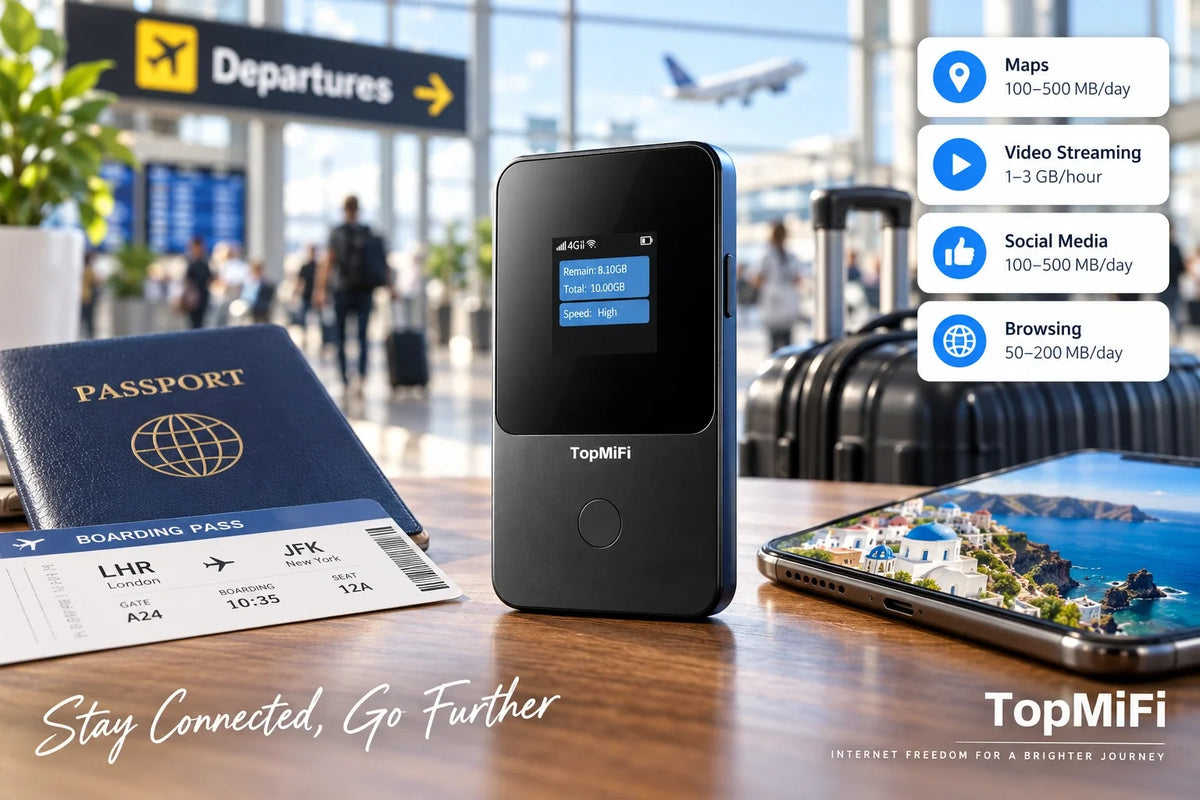
"How much data do I need?" is one of the most common worries before any trip abroad — buy too little and you are rationing maps on day three; buy too much and you have paid for gigabytes you never touch. The honest truth is that there is no single right number, because it depends entirely on what you do online. The good news is that you do not actually have to guess perfectly: with a pocket WiFi hotspot such as the TopMiFi T8 portable WiFi hotspot, you start with 10GB and then simply pay as you go, topping up only if and when you need more.
This 2026 guide breaks down how much data common travel activities really use, helps you estimate your own needs, and shows how to use less when you want to. All the figures here are rough approximations — real usage varies with your apps, your video quality, and your habits — so treat them as a starting point rather than a promise. If you are heading somewhere specific, it also helps to check where you will have coverage so you know what to expect.
Quick answer
If you mostly use maps, messaging, and light browsing, you need far less data than you think — often well under 1GB a day. If you stream video, make long video calls, or upload lots of photos and clips, you can use several gigabytes a day. Rather than guessing, start with a reasonable amount and top up as you go: a pocket WiFi that begins with 10GB and lets you pay as you go means you never have to overbuy up front.
Why "how much data" has no single answer
Two travellers on the same trip can use wildly different amounts of data, and it comes down to a few variables:
- What you do online. Maps and messaging sip data; streaming video and video calls gulp it. This is by far the biggest factor.
- Your quality settings. The same video streamed in standard definition uses a fraction of what it uses in high definition.
- Trip length. A long weekend and a three-week trip are obviously different, so think in terms of data per day rather than one big number.
- Group size. If several people share one connection, their usage adds up — more on that below.
- How much you lean on offline tools. Downloading maps, music, and shows in advance on WiFi dramatically cuts what you use on the move.
Because of all this, the most useful approach is not to find a magic number but to understand which activities are light and which are heavy, estimate roughly, and then adjust as you travel.
How much data common activities use
Here are rough, widely-cited approximations for how much data everyday activities use, measured per hour of active use. Actual figures depend on the app, the resolution, and your device, so treat them as a guide, not a guarantee — and remember they add up across a day, which is why it is easier to plan in rough daily totals (more on that below).
| Activity | Rough data use (per hour) | How heavy |
|---|---|---|
| Text messaging (chat apps) | A few MB per hour | Very light |
| Email (text) | Under ~10 MB per hour | Very light |
| Maps & navigation | ~5–30 MB per hour | Light |
| Browsing (web pages) | ~50–150 MB per hour | Moderate |
| Social media feeds | ~100–250 MB per hour | Moderate (more with autoplay video) |
| Music streaming | ~50–150 MB per hour | Moderate |
| Video calls | ~0.5–1.5 GB per hour | Heavy |
| Standard-definition video | ~0.5–1 GB per hour | Heavy |
| HD video streaming | ~1.5–3 GB per hour | Very heavy |
| Uploading photos & clips | Varies — a short clip can be hundreds of MB | Varies |
The pattern is clear: the things travellers do most — maps, messaging, and a bit of browsing — are light, while video is what empties a data allowance fast.
What uses the most data, and what uses the least
If you remember nothing else, remember this split. The lightest activities are messaging, email, maps, and reading — you could do these for hours and barely make a dent. The heaviest are streaming HD video, long video calls, and uploading lots of high-resolution photos and video clips. Most travellers' data mostly disappears into video of one kind or another, so if you want to stretch an allowance, that is the place to look first.
Which kind of traveller are you?
Rather than a single number, it helps to picture three rough profiles and see which fits you. These are approximate — your own usage will land somewhere on a spectrum.
The light user. You navigate with maps, message home, check a few things online, and post the odd photo. You are not streaming on the go. A light user often uses well under 1GB a day, so even a modest allowance stretches a long way.
The moderate user. You do all of the above, plus some music, social feeds with video, the occasional video call home, and more photos. A moderate user might use somewhere in the region of 1–2GB a day, depending on how much video sneaks in.
The heavy user. You stream shows or music for hours, make long video calls, upload lots of clips, or tether a laptop to work online. A heavy user can comfortably use several gigabytes a day, so plan for topping up.
These profiles are a starting point, not a rule — the honest move is to begin with a sensible amount, watch what you actually use in the first day or two, and adjust from there.
How group size changes the maths
One detail trips people up: if several people share a single connection, their usage adds together. A pocket WiFi hotspot is brilliant for groups because one device keeps everyone online — the TopMiFi T8 supports up to 8 devices — but a family of four all using maps, messaging, and the occasional video will naturally get through more data than one solo traveller. That is not a downside; it is just worth remembering when you estimate, because you are budgeting for the whole group, not one phone.
Does the destination change how much you need?
Your data needs are driven mostly by what you do, not where you are — an hour of HD video uses roughly the same whether you are in Tokyo or New York. What does change by destination is how much you lean on data in the first place: in a country where you navigate constantly, translate menus, and pay by app, you will reach for your connection more often. If your trip spans several countries, our complete guide to pocket WiFi for international travel covers how one device keeps you online across all of them without a new plan at each border.
How to use less data abroad
If you want to stretch your allowance, a few habits make a big difference — and most of them cost you nothing.
- Download on WiFi before you go out. Save offline maps, your music playlists, and a few shows on hotel or home WiFi so you are not streaming them on your travel data.
- Lower your video quality. Dropping streaming from HD to standard definition can cut video data use dramatically, and on a phone screen you will barely notice.
- Turn off auto-play and auto-backup. Social feeds that auto-play video and apps that auto-upload photos quietly burn data in the background — switch them off while travelling.
- Save big uploads for WiFi. Back up your holiday photos and videos over hotel WiFi at night rather than over your travel connection.
- Keep an eye on the counter. Checking how much you have used in the first day or two tells you more than any estimate.
Why you do not have to guess
Here is the part that takes the stress out of the whole question: with the right setup, you are not locked into a number you picked before the trip. A TopMiFi hotspot starts with 10GB and then lets you pay as you go. The device screen shows how much data you have left, so instead of overbuying a big fixed plan just in case, you begin with a reasonable amount, watch your real usage, and top up only if you actually run low. There is no contract and no auto-renew after your trip, so you are never paying for data you did not use.
Which TopMiFi suits you?
For most travellers, the handheld T8 is the right choice: pocket-sized, its own rechargeable battery, up to 8 devices, and it goes everywhere you go. If your trip involves a lot of driving or an RV, the TD20 is built for the car and supports up to 16 devices. Both run on 4G LTE across 150+ countries with no SIM and no contract, and both start with 10GB so you can top up as you go.
Frequently asked questions
How much data do I need for a one-week trip?
It depends on how you use your phone. A light user who mainly navigates and messages might use only a few gigabytes across the week, while a heavy streamer could use that much in a single day. Starting with 10GB and topping up as you go means you do not have to pin down the exact figure in advance.
Is 10GB enough for travel?
For many travellers who stick to maps, messaging, browsing, and some photos, 10GB covers a fair amount of a trip. If you stream a lot of video or make long video calls, you will likely want to top up — which is exactly why a pay-as-you-go model is handy.
Do maps and navigation use a lot of data?
No, navigation is one of the lighter activities — roughly a few tens of megabytes an hour. You can cut it to almost nothing by downloading offline maps before you head out.
What uses the most data when travelling?
Streaming HD video, long video calls, and uploading lots of high-resolution photos and clips use the most. If you want to stretch an allowance, managing video is the single most effective thing you can do.
How do I check how much data I have used?
With a TopMiFi hotspot, the device screen shows how much data you have left, so you can see your usage at a glance and top up before you run out — no guessing required.
Does sharing a hotspot with my family use more data?
Yes — everyone's usage adds together on one connection. That is the convenience of a hotspot, but it means you should estimate for the whole group rather than a single phone.
The bottom line
There is no universal "right" amount of data for international travel, because it depends on what you do — maps and messaging are light, video is heavy, and group size adds up. The least stressful approach is to understand that split, start with a sensible amount, and top up as you go rather than overbuying in advance. Start with the TopMiFi T8 for 10GB in 150+ countries, then pay as you go.