Best Portable WiFi for International Travel in 2026: Top Picks & Buyer's Guide
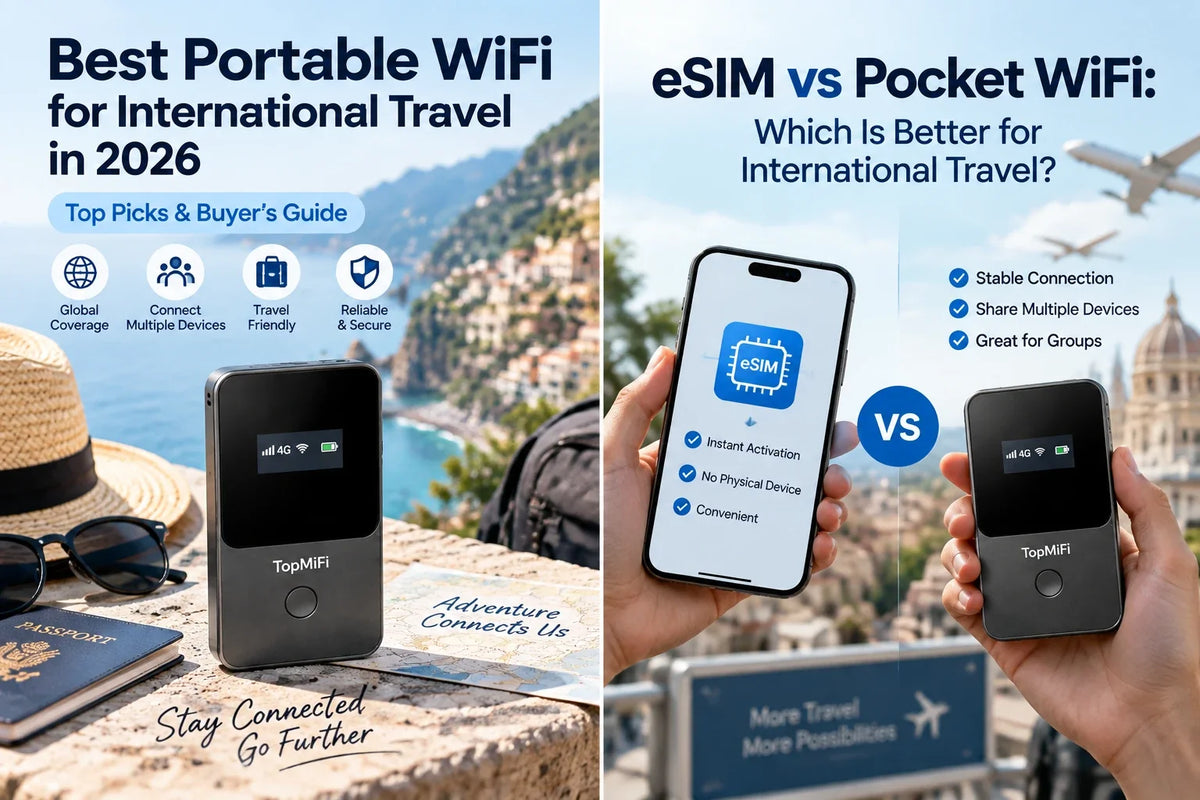
Finding the best portable WiFi for international travel in 2026 comes down to one thing: staying online the moment you land, without roaming bills, SIM-card hassle, or gambling on hotel Wi-Fi. A good travel hotspot is a small device that carries its own data and shares a private connection with your phone, laptop, and everyone you're traveling with — so whether you're crossing one border or five, a pocket unit like the TopMiFi T8 pocket WiFi keeps the whole group connected from touchdown. This guide covers exactly how to choose one and which models are worth your money this year.
Not every trip needs the same device, though. A weekend solo city break, a two-week family tour, and a month living out of an RV each point to a different pick — from a lightweight everyday hotspot to an always-on unit such as the TopMiFi TD20 for a connected home base. Below we break down the buying criteria that actually matter, then match the best travel WiFi options to the way you really travel.
Quick picks for 2026:
- Best overall for most travelers: TopMiFi T8 — pocket-sized, its own battery, up to 8 devices.
- Best for families, groups & a home base: TopMiFi TD20 — Wi-Fi 6, up to 16 devices, USB-powered.
- Best for a solo, light-data traveler: a travel eSIM on your own phone (more on that below).
Why you need portable WiFi for international travel
The second your plane lands in a new country, your phone usually does one of three unhelpful things: it clings to expensive roaming, it drops to "No Service," or it nudges you toward whatever open network is nearby. None of those is a good way to pull up a map, call a ride, or show a boarding pass. Carrier roaming can quietly cost more for a single week than a good device costs outright. Public Wi-Fi in airports and hotels is slow, capped, and a genuine security risk. And hunting for a local SIM means finding a shop, showing ID, and swapping out the card that holds your normal number.
A dedicated travel hotspot removes all of that friction. It arrives with data already on it, connects to a strong local network automatically, and rebroadcasts a private connection that every device in your group can join. You control your own bandwidth, your phone's battery is left alone, and there's no per-person plan to buy. For anyone traveling with a laptop for work, a partner, kids, or simply more than one gadget, it's the difference between fighting for signal and forgetting connectivity was ever a worry.
How does portable WiFi work?
A travel hotspot is essentially a tiny router with a cellular modem inside. It receives a mobile data signal from a local network — the same towers your phone would use — and rebroadcasts it as a private Wi-Fi network that your devices join with a password. Instead of each gadget needing its own SIM or plan, they all share the single connection the device provides, which is what makes it so efficient for a group.
The newest models skip the physical SIM entirely. A built-in virtual SIM is programmed to hop onto a partner network automatically in each country, so there's nothing to insert and nothing to configure when you cross a border. You power the unit on, wait a moment while it registers on a local network, connect your phone, and you're online. Because the device handles all the cellular work, your phone keeps its own SIM, its own number, and — crucially — its own battery. That simple division of labor is what makes a dedicated hotspot so much less fussy than tethering everything off a single phone.
How to choose the best travel WiFi: 7 things that matter
Marketing pages love to shout about speed, but the features that decide whether a travel hotspot is actually good on the road are more practical. Weigh these seven before you buy.
- 1. Data that's actually included. Some devices are sold empty, leaving you to source a plan before they're any use. The best ones arrive ready to go — for example, TopMiFi units start with 10GB of data included and a simple pay-as-you-go top-up, so you're online the day it arrives.
- 2. Country coverage. A device is only as good as the places it works. Look for automatic connectivity across 150+ countries, so one purchase covers this trip and every future one — no new plan at each border.
- 3. How many devices it supports. Count your screens and add a couple of spares. A unit rated for up to 8 devices comfortably covers a couple or a small family; up to 16 suits larger groups, an RV, or a gear-heavy home base.
- 4. Battery or external power. A model with its own battery is ideal for all-day sightseeing and doubles as a power bank. An always-on unit that runs from a USB source is better as a stationary base in a rental, hotel room, or vehicle.
- 5. No SIM to insert. A built-in virtual SIM means you skip physical cards entirely and connect the moment you power on, even as you move between countries — no fiddly trays, no lost nano-SIMs.
- 6. Speed and Wi-Fi standard. For maps, streaming, and video calls, look for 4G LTE speeds and, on higher-end units, Wi-Fi 6 to keep several devices fast at once without the connection buckling under load.
- 7. Price and honest value. Compare the total cost — hardware plus data — against buying separate plans for everyone. A reusable device that pays for itself on the first trip and keeps saving on the next is worth more than a slightly cheaper single-use option.
The best portable WiFi for international travel in 2026
There's no single "best" device for everyone — the right pick depends on your group size, whether you're on the move or based somewhere, and how much data you'll use. Here are the standout options for 2026, matched to the traveler each one suits.
Best overall for most travelers: TopMiFi T8
For the widest range of trips, a pocket hotspot with its own battery is the sweet spot, and the TopMiFi T8 is built exactly for that. It weighs almost nothing, slips into a pocket, and connects up to 8 devices at 4G LTE speeds of up to 150 Mbps — enough for a couple or a small family to stream, navigate, and video-call at once. The built-in battery lasts a full day of sightseeing and doubles as a power bank in a pinch, so your phone never runs flat because you shared your connection. With 10GB of data included, automatic coverage across 150+ countries, and no SIM to insert, it's genuinely land-and-go. At $129 (down from $169), it's the option most travelers should look at first.
Best for families, groups & a home base: TopMiFi TD20
When more devices need to stay online — or when you want a rock-steady connection in one place — the TopMiFi TD20 steps up. It runs on Wi-Fi 6 and supports up to 16 devices, making it ideal for a family where everyone has a screen, a team on a work trip, or an RV and rental where tablets, laptops, and phones all lean on one network. The trade-off is that it has no internal battery: it's designed to run continuously from a USB power source, which is exactly what you want for an always-on base rather than a walk-around device. Priced the same $129 (was $169), it turns any room or vehicle into a private, reliable hotspot without touching a single phone battery.
Best for a solo, light-data traveler: a travel eSIM
If you're traveling alone with just a phone and don't need to share your connection, a travel eSIM can be the leanest option — there's no extra hardware to carry, and you activate a data plan digitally in minutes. The catch is that it only covers one compatible phone, tethering to other gadgets drains your battery fast, and per-gigabyte costs climb once you add people or heavy use. If you're weighing the two approaches, our full breakdown of eSIM vs pocket WiFi walks through the exact trade-offs so you can decide with confidence.
What about airport rental pocket WiFi?
Rental hotspots from an airport kiosk can seem convenient, but they come with catches worth knowing about: daily rental fees that add up on a longer trip, deposits, queues at pickup and return, and late or damage charges if anything goes wrong. You're also tied to returning the device on time in the right place. For anyone who travels more than once, buying a reusable device you own outright almost always works out cheaper and far less stressful than renting the same thing over and over.
Portable WiFi vs the alternatives
To see where a dedicated device fits, here's how the main ways of getting online abroad compare on the things travelers care about most.
| Option | Best for | Main drawback |
|---|---|---|
| Portable WiFi (own device) | Groups, families, multi-device, frequent trips | One small device to carry and charge |
| Travel eSIM | Solo travelers, light data, newer phones | One device only; needs a compatible phone |
| Carrier roaming | Ultra-short trips, zero setup | By far the most expensive; bill shock |
| Local SIM card | Long stays in one country | Shop visit, ID, lose your home number |
| Airport rental hotspot | A one-off short trip, no purchase | Daily fees, deposits, returns, late charges |
Can't I just use my phone as a hotspot?
It's a fair question — modern phones can share their connection, so why buy a separate device at all? The answer comes down to three real-world limits. First, tethering runs on your phone's own data plan, which means either paying for roaming or feeding it a travel eSIM — and either way, sharing to several gadgets drains your battery alarmingly fast. It's common to leave a phone hotspot running for a couple of hours and watch it slip below 20%, right when you need it for a map or a boarding pass. Second, your phone can only share the plan it already has; if that plan doesn't cover your destination well, tethering does nothing to fix the underlying coverage. Third, some carriers throttle or cap hotspot use, so speeds fall off exactly when a group leans on the connection.
A dedicated device sidesteps all three. It carries its own data and its own battery, so your phone stays fully charged and fully yours, and it's built to share bandwidth across several devices without the throttling a phone hotspot often runs into. For a solo traveler making light use of a single device, tethering is perfectly fine. For anyone sharing a connection, working on the road, or traveling for more than a day, a purpose-built unit is simply the more dependable tool — and it keeps your phone free to be a phone.
How much data do you need for international travel?
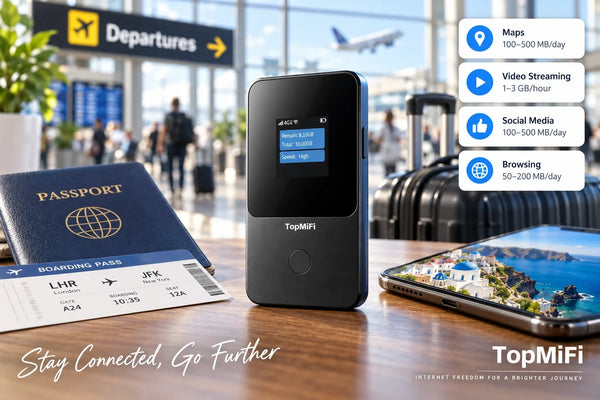
Data is the currency of any travel connection, so it helps to know roughly what different activities use before you settle on a plan size. The figures below are ballpark estimates — real usage shifts with the app and your quality settings — but they're accurate enough to plan around and to sanity-check how far an included allowance will stretch.
| Activity | Rough data use | Intensity |
|---|---|---|
| Maps & navigation | ~5 MB per hour | Very light |
| Messaging & social | ~10–30 MB per hour | Light |
| Web browsing & email | ~10–25 MB per hour | Light |
| Music streaming | ~40–80 MB per hour | Moderate |
| Video streaming (HD) | ~1–3 GB per hour | Heavy |
| Video calls | ~0.5–1.5 GB per hour | Heavy |
As a rule of thumb, a light user checking maps, messages, and email can stretch a few gigabytes across a whole week, while a family streaming shows and video-calling home might burn through the same amount in a day or two. That's why starting with data included and topping up as you go beats guessing a huge plan up front — you avoid overpaying, but you never run dry in the middle of a trip. If you know you'll stream a lot, plan for the heavier end of the table; if you mostly navigate and message, you'll use surprisingly little.
Tips to get the most from your travel hotspot
A few small habits make a dedicated device even more reliable on the road:
- Place it high and near a window. Cellular signal is stronger away from thick interior walls, so a hotspot on a windowsill often serves the whole room better than one buried in a bag.
- Keep it powered. Top up a battery model overnight so it's ready each morning; for an always-on unit, leave it on its USB source so it never drops.
- Set a strong Wi-Fi password. A private network is only private if strangers can't guess their way in — change any default password and keep it to your group.
- Connect only what you need. Disconnecting idle devices frees up speed and saves data, especially when several people are sharing one connection.
- Watch the display. A quick glance at remaining data lets you top up before you run out rather than after, so there's never a gap in coverage.
- Pack the right cable and adapter. A short charging cable and a travel plug adapter keep the device fed wherever you are, without hunting for the one you left at home.
Common mistakes to avoid when buying travel WiFi
A few avoidable errors trip up first-time buyers. Steer clear of these and you'll pick the right device the first time.
- Buying an empty device. A hotspot with no data included isn't ready to use — check that a plan is on board and that topping up is simple before you commit.
- Ignoring coverage in your destinations. Confirm the device works across the specific countries on your itinerary, not just one region.
- Underestimating device count. It's easy to forget the tablet, the smartwatch, or a travel companion's phone. Size up, not down.
- Choosing a battery unit for a fixed base — or vice versa. Match the power style to how you'll use it: battery for moving around, USB-powered for a steady base.
- Renting repeatedly. If you travel more than once a year, renting the same hotspot again and again usually costs more than owning one.
Frequently asked questions
What is the best portable WiFi for international travel in 2026?
For most travelers, a pocket hotspot with its own battery, included data, and coverage across 150+ countries is the best all-round choice — the TopMiFi T8 is a strong pick. Larger groups or a fixed home base are better served by a higher-capacity, always-on unit like the TopMiFi TD20.
Do portable WiFi devices need a SIM card?
The best modern ones don't. A device with a built-in virtual SIM connects automatically with no card to insert — you power it on and it finds a local network, even across multiple countries on the same trip.
How many devices can a travel hotspot connect?
It depends on the model. A compact battery unit typically handles up to 8 devices — plenty for a couple or small family — while a higher-capacity unit can support up to 16, which suits larger groups, an RV, or a hotel room full of gear.
Is portable WiFi cheaper than roaming?
In almost every case, yes. Carrier roaming can cost more for one week than a good device costs outright, and a reusable hotspot spreads one data plan across your whole group instead of charging each phone separately.
Is TopMiFi the same as tpMiFi?
No — they're easy to mix up but unrelated. tpMiFi is a TP-Link app for managing TP-Link routers, while TopMiFi is an independent brand of ready-to-use pocket WiFi devices with data included. Our guide to TopMiFi vs tpMiFi explains the difference in full.
Should I buy or rent a travel hotspot?
If you travel more than once a year, buying a device you own is almost always cheaper and simpler than renting — no daily fees, deposits, queues, or return deadlines. Renting only makes sense for a rare, one-off short trip.
Will a travel hotspot work as soon as I land?
In most cases, yes. You power the device on after you land, give it a minute to register on a local network, connect your phone or laptop, and you're online — no shop visit, no SIM swap, and no app to set up first.
How long does the battery last on a portable hotspot?
A battery-based model typically lasts a full day of sightseeing on a charge and can double as a power bank. Always-on units have no internal battery by design — they're meant to run continuously from a USB power source as a fixed base, so keep one plugged in.
Can I use a travel hotspot on a cruise or a flight?
On land and in port, yes. Out on the open ocean or in the air, a cellular hotspot has no tower to connect to, so it won't work mid-sea or in flight — you'd rely on the ship's or airline's own onboard Wi-Fi there. It's back to normal the moment you're within range of land again.
The bottom line
The best portable WiFi for international travel in 2026 is the one that matches your trip: a pocket, battery-powered hotspot for everyday, go-anywhere use, or an always-on, high-capacity unit for families and fixed bases. Prioritize included data, broad country coverage, the right device count, and a no-SIM setup, and you'll skip roaming bills and public-Wi-Fi headaches for good. For most people that means the TopMiFi T8; for bigger groups and home bases, the TopMiFi TD20.
Coverage, device limits, data allowances, and pricing vary by model and destination and can change over time. Confirm current product details before you travel to make sure a device fits your trip.